Café Window
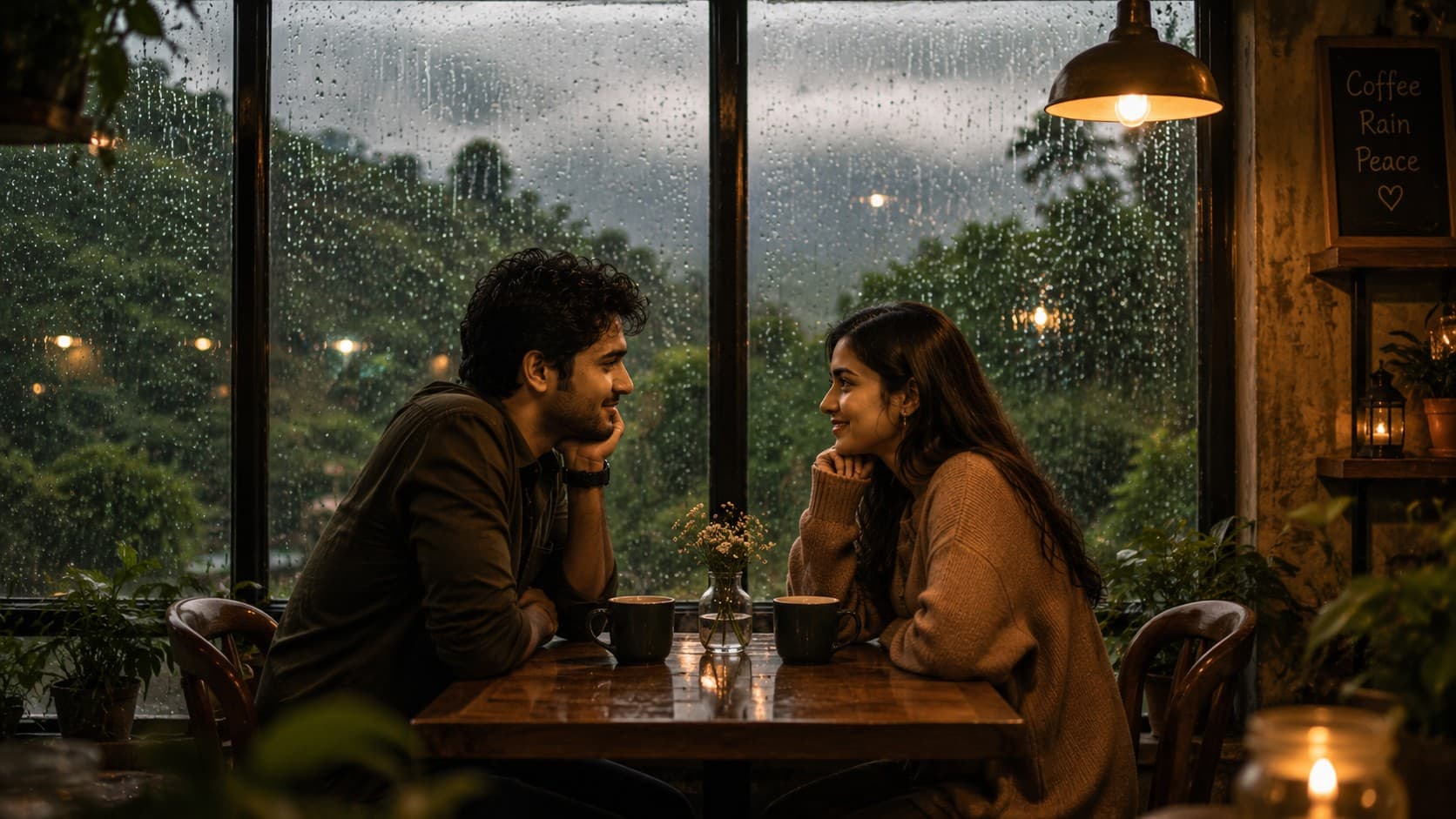
Create a cozy cinematic monsoon café scene where a romantic couple shares coffee, meaningful conversation, and warm glances beside a rain-covered window overlooking misty green hills.

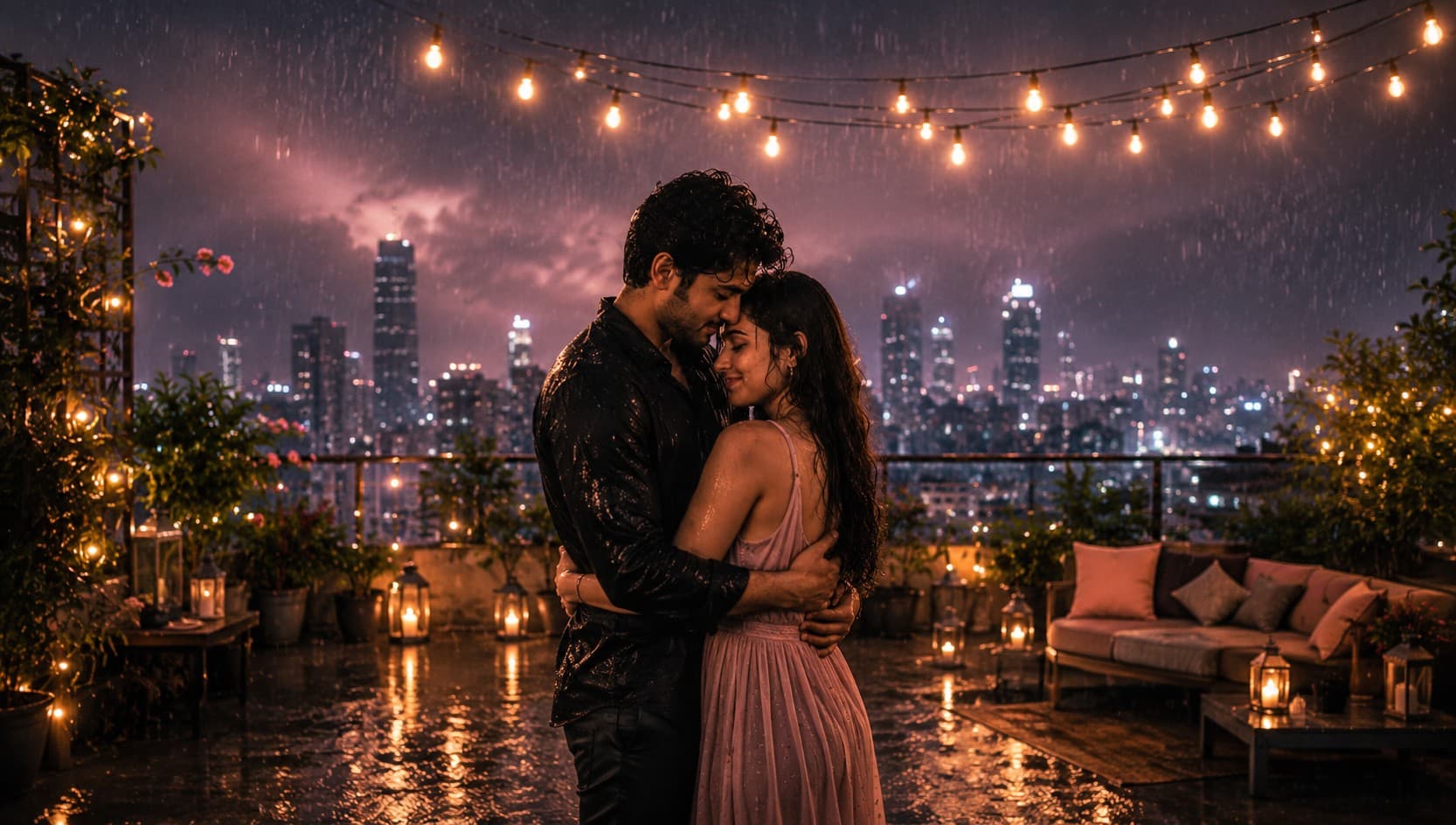
Create a dreamy cinematic monsoon rooftop scene where a romantic couple shares a warm embrace beneath glowing string lights, gentle rainfall, and a misty city skyline.
Review the prompt below before copying it into your preferred AI image generator.
Follow these simple steps to generate the best possible AI image.
Use a clear reference image showing both people with their faces and natural body positions visible. This gives the model enough information to preserve their appearance while creating the rooftop scene.
Keep the reference image attached so the generated portrait maintains recognizable facial features, hairstyles, skin tones, body proportions, and overall appearance while adapting the couple to the rainy setting.
Generate the couple sharing a warm natural embrace while gentle rain falls around them. Keep their body language relaxed and emotionally connected rather than overly posed.
Let the model establish the rooftop with glowing string lights, rooftop greenery, wet reflective surfaces, puddles, a cloudy evening sky, and a softly blurred city skyline surrounded by mist.
Generate multiple variations and select the result with the most natural embrace, clear facial visibility, realistic rainfall, balanced lighting, convincing reflections, and an authentic romantic mood.
Follow these best practices to create higher-quality AI images with better consistency and realism.
A reference showing the couple standing naturally makes it easier to create believable proportions, arm placement, and a comfortable embrace.
Choose a reference where both faces are clearly visible and not heavily obscured by hair, shadows, or other objects. This improves identity preservation in the generated scene.
Use gentle, clearly visible rainfall rather than extremely heavy rain. Controlled rain keeps the couple's faces, clothing, and expressions sharp while maintaining the monsoon atmosphere.
Keep the string lights softly out of focus in the background so they create warm circular bokeh without competing with the couple.
Maintain the contrast between warm golden string lights and the cool grey monsoon sky. This combination strengthens the dreamy cinematic mood while keeping skin tones natural.
This prompt benefits from an image model that can preserve the appearance of two people while creating a believable romantic embrace, gentle rainfall, rooftop environment, glowing string lights, misty skyline, and cinematic monsoon atmosphere.
A strong option for maintaining recognizable facial features while refining the couple's embrace, emotional expressions, rainy atmosphere, and cinematic rooftop composition.
Useful for experimenting with misty city skylines, glowing string lights, rainfall, wet rooftop reflections, and dreamy evening compositions.
Discover more prompts from this category.
Explore hundreds of free AI prompts across different categories. Whether you're creating realistic images, cinematic scenes, anime artwork, seasonal content, sports visuals, or social media graphics, PromptGenz has prompts designed to help you get better AI-generated results.