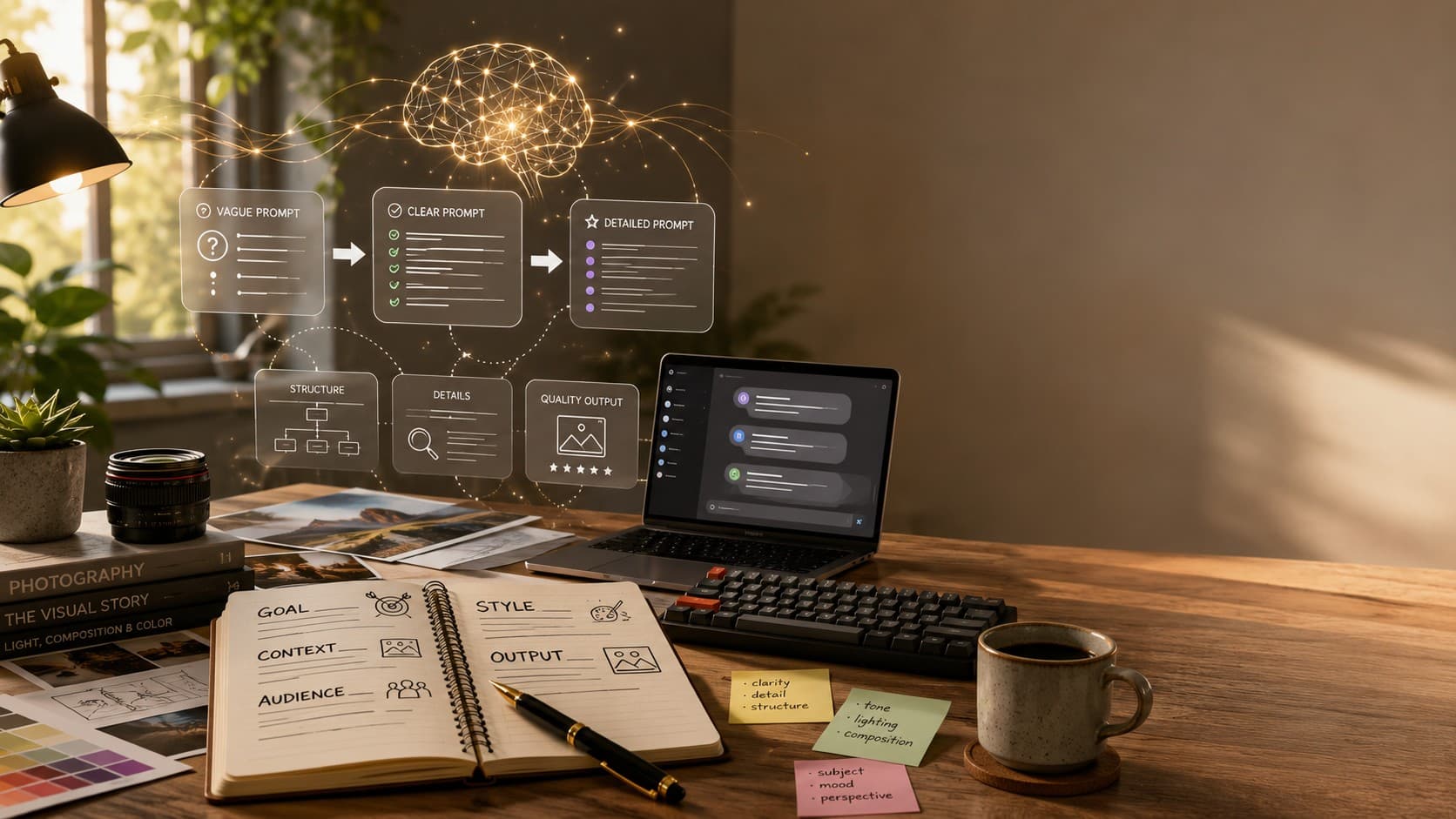
The Anatomy of a Perfect AI Image Prompt: A Step-by-Step Guide
Learn the seven essential building blocks of a perfect AI image prompt. Discover how subject, lighting, style, camera, composition, and mood work together to generate better AI images consistently.
The Anatomy of a Perfect AI Image Prompt
For a long time, I kept a notes app filled with AI image prompts that had worked once. You probably have one too—a random collection of prompts copied from social media or saved after generating a surprisingly good image. The strange part was that many of those prompts never produced the same quality again. I used to think great AI images were mostly luck. Eventually, I realized they weren't. They were built on a structure.
Once you understand the anatomy of a great AI image prompt, you stop relying on guesswork and start creating images intentionally. Instead of hoping the AI understands what you're imagining, you learn how to describe that vision in a way the model can interpret consistently.
In this guide, we'll break down every important part of an AI image prompt, explain why each element matters, and show how combining them produces significantly better results across tools like Midjourney, Flux, Ideogram, Leonardo AI, ChatGPT Images, and other modern AI image generators.
What You'll Learn
- The seven building blocks of an effective AI image prompt.
- Why some prompts consistently generate better images than others.
- How each part influences the final image.
- Simple prompt examples you can apply immediately.
- A practical checklist to improve every AI image prompt you write.
Why 'Anatomy' Is the Right Word
A great AI image prompt isn't one clever sentence or a collection of secret keywords. It's built from several individual parts, and each part has a specific purpose. When one of those parts is missing, the AI has to fill in the gaps by making assumptions. Sometimes those assumptions work—but more often, they lead to generic or inconsistent images.
Think of it like following a recipe. Every ingredient contributes something different to the final dish. Skip the seasoning, and the food tastes flat. Skip the flour, and the entire recipe falls apart. AI image prompts work the same way. Each component adds another layer of clarity, giving the model a more complete picture before it starts generating.
Over time, I've found myself returning to the same seven building blocks whenever I write prompts. I don't always use every single one, but understanding them gives me complete control over the final image instead of leaving important details to chance.
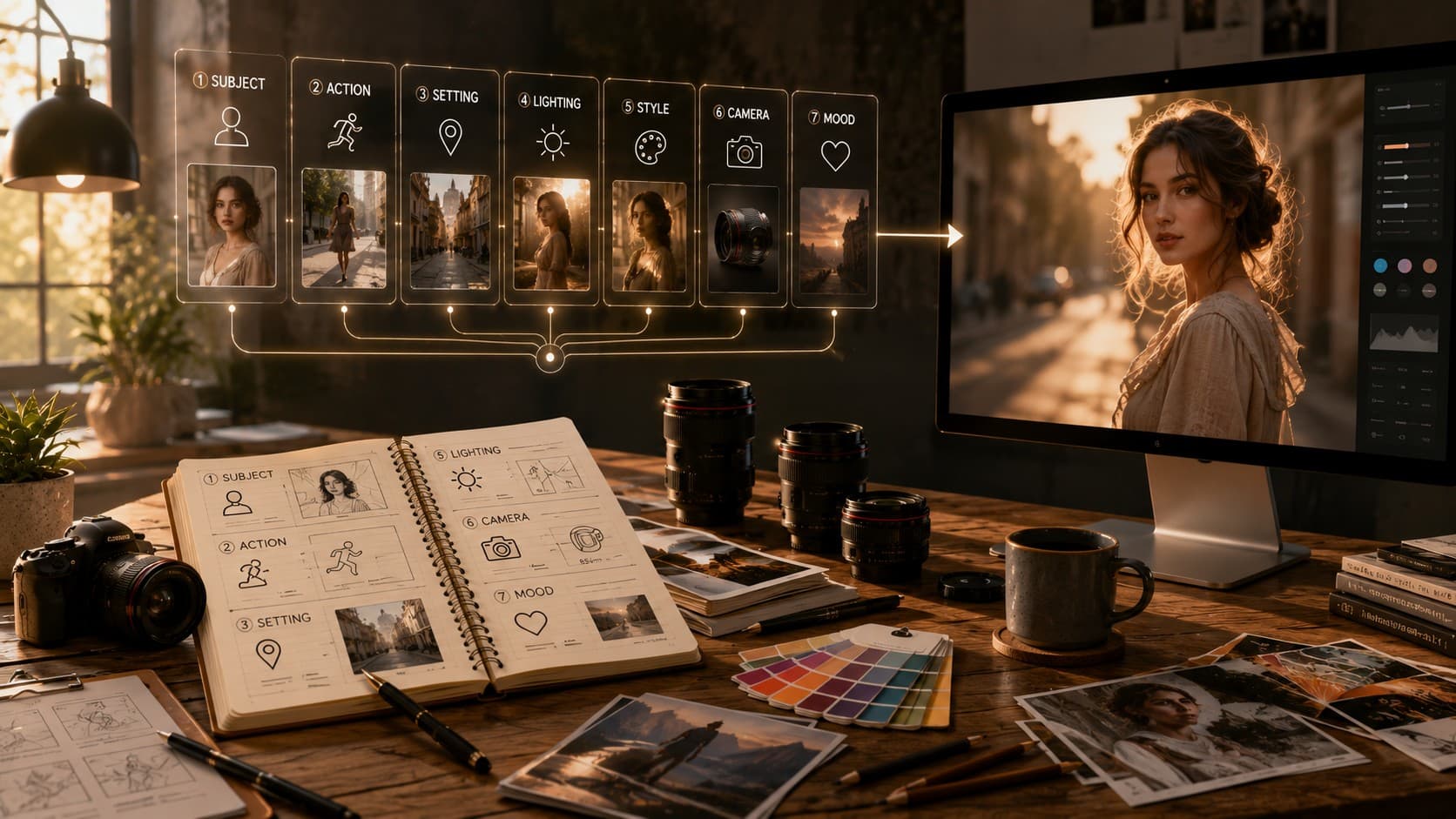
The Seven Building Blocks
- Subject
- Action or Expression
- Setting
- Lighting
- Style or Medium
- Camera and Composition
- Mood or Color Tone
In the following sections, we'll explore each building block one by one with practical examples so you can understand exactly how they influence your AI-generated images.
The Anatomy of a Perfect AI Image Prompt
For the longest time, I kept a notes app full of AI image prompts that had worked exactly once. You probably have one too—a collection of prompts copied from Reddit, YouTube, or social media because they generated an incredible image. The frustrating part was that those same prompts rarely produced the same quality again. I used to think creating great AI images was mostly luck. It turns out it wasn't luck at all—it was structure.
Once you understand the anatomy of a great AI image prompt, everything starts making sense. Instead of randomly adding more adjectives and hoping for the best, you begin building prompts with intention. Every sentence has a purpose, every detail helps the AI understand your vision, and your results become far more consistent.
In this guide, we'll break down the seven essential building blocks that make up a strong AI image prompt. You'll learn what each part does, why it matters, and how combining them helps you generate better images across tools like Midjourney, Flux, Ideogram, Leonardo AI, ChatGPT Images, and other modern AI image generators.
What You'll Learn
- The seven essential building blocks of a great AI image prompt.
- Why some prompts consistently generate better images than others.
- How each part influences the final image.
- Practical prompt examples you can immediately apply.
- A simple checklist to improve every AI image prompt you write.
Why 'Anatomy' Is the Right Word
A great AI image prompt isn't one clever sentence or a collection of secret keywords. It's built from individual parts, and each part performs a specific job. When one of those pieces is missing, the AI fills the gap by making assumptions. Sometimes those assumptions are acceptable—but most of the time they lead to generic or inconsistent results.
Think of it like following a recipe. Every ingredient contributes something important to the final dish. Skip the seasoning and the food tastes flat. Skip the flour and the recipe falls apart completely. AI image prompts work exactly the same way. Every component gives the AI another piece of information, making it easier to generate the image you actually have in mind instead of one it has to guess.
Over time, I found myself using the same simple framework for almost every image prompt. I don't always include every single part, but understanding them means I decide what to leave out instead of forgetting something important.
The Seven Building Blocks
- Subject
- Action or Expression
- Setting
- Lighting
- Style or Medium
- Camera and Composition
- Mood or Color Tone
Let's break down each building block one by one and see how they work together to transform an ordinary prompt into a professional-quality AI image prompt.
Part 1: The Subject (Be Boringly Specific)
The subject is the foundation of every AI image prompt. It's the first thing the AI tries to understand, and if this part is vague, everything built on top of it becomes less accurate. Surprisingly, this is where many prompts go wrong before the image generation process has even begun.
A prompt like 'a woman' tells the AI almost nothing. It has to guess the person's age, hairstyle, clothing, expression, ethnicity, pose, and countless other details. The more guessing involved, the more generic the final image usually becomes.
Instead of trying to be clever, focus on being specific. Describe the subject clearly enough that two different people reading your prompt would imagine roughly the same person, object, or scene. That's usually a good sign you've provided enough information.
Weak Prompt vs Better Prompt
❌ Weak Prompt A woman standing outside.
✅ Better Prompt A confident woman in her early 30s with shoulder-length curly brown hair, wearing a beige trench coat and black leather boots, standing naturally with her hands in her pockets.
Notice that the improved prompt doesn't use complicated language. It simply removes ambiguity. The AI now understands who the subject is instead of inventing those details on its own.
When describing your subject, think about the characteristics that actually influence the final image. Depending on your goal, this could include age, clothing, hairstyle, facial features, accessories, profession, emotions, or any distinctive traits that help define the character.
- Age or approximate age group
- Gender (if relevant)
- Hairstyle or hair color
- Clothing and accessories
- Facial expression
- Pose or body language
- Any unique physical characteristics
The more clearly you describe the subject, the less the AI has to guess—and fewer guesses almost always lead to better images.
Part 2: Action or Expression (What's Actually Happening?)
Once you've described the subject, the next question is simple: what are they doing? This is one of the easiest parts to overlook, yet it's also one of the biggest differences between an image that feels static and one that feels alive.
When you don't specify an action, most AI image generators default to a subject standing still, facing the camera with a neutral expression. While that might work for passport photos, it rarely creates an image that tells a story or captures attention.
Adding even a small action gives the AI more context. It transforms the subject from simply existing in a scene to actively participating in it. A person laughing, walking, reading, cooking, or looking out of a rainy window immediately creates a stronger visual narrative.
Weak Prompt vs Better Prompt
❌ Weak Prompt A young man in a coffee shop.
✅ Better Prompt A young man smiling while reading a book in a cozy coffee shop, occasionally looking out of the window as sunlight falls across the table.
The second prompt doesn't just describe a person—it describes a moment. Those extra details help the AI create a scene that feels natural instead of staged.
Expressions are just as important as actions. A confident smile, thoughtful gaze, surprised reaction, or determined expression can completely change the mood of an image without changing anything else in the prompt.
- Walking through the rain
- Laughing with friends
- Reading a book
- Looking out of a window
- Cooking in a modern kitchen
- Running across the beach
- Holding a camera while taking photos
- Leaning against a wall with folded arms
A great AI image doesn't just show a subject—it captures a moment. Small actions and natural expressions make the difference between a static picture and a believable scene.
Part 3: Setting (Where Does the Story Take Place?)
Now that you've defined your subject and described what they're doing, it's time to place them somewhere meaningful. The setting isn't just a background—it provides context, atmosphere, and personality to the entire image.
One of the most common mistakes beginners make is using vague locations like 'outside', 'in a room', or 'at the beach.' While technically correct, these descriptions leave far too much for the AI to guess. The result is often a generic environment that doesn't match the scene you had in mind.
Instead, describe the location with enough detail that someone reading your prompt could easily imagine where the subject is. Mention the surroundings, architecture, weather, nearby objects, or any unique environmental details that help establish the scene.
Weak Prompt vs Better Prompt
❌ Weak Prompt A woman standing on a street.
✅ Better Prompt A stylish woman standing on a narrow cobblestone street in an old European town, surrounded by historic buildings, colorful flower balconies, and warm string lights hanging overhead.
Notice how the improved prompt instantly creates a much clearer mental picture. Instead of forcing the AI to invent the surroundings, you're giving it a complete environment to work with, resulting in a more believable and visually interesting image.
The setting also influences the overall storytelling. A portrait taken in a luxury hotel lobby feels completely different from the same subject standing in a quiet mountain village or a busy Tokyo street. Small environmental details often have a bigger impact than people expect.
Ideas for Better Settings
- A cozy coffee shop with wooden furniture and warm lighting.
- A narrow European street with cobblestones and vintage architecture.
- A peaceful mountain lake during sunrise.
- A futuristic cyberpunk city filled with neon signs.
- A luxury modern apartment overlooking a skyline.
- A dense forest with morning mist and tall pine trees.
- A quiet library filled with antique books and natural light.
- A tropical beach with white sand, turquoise water, and palm trees.
A well-described setting doesn't just tell the AI where your subject is—it tells a story before anyone even looks at the subject.
Part 4: Lighting (The Most Underrated Ingredient)
If I had to choose one part of an AI image prompt that people skip the most, it would be lighting. Ironically, it's also one of the biggest factors that determines whether an image feels realistic, cinematic, dramatic, or completely flat. Lighting doesn't just brighten a scene—it shapes the mood, highlights important details, and influences how every other element is perceived.
Without any lighting instructions, the AI has to invent its own light source. Sometimes that works, but more often it produces average-looking images with harsh shadows, dull colors, or an overall artificial appearance. A few carefully chosen lighting keywords can completely transform the final result.
The good news is that you don't need to understand professional photography. Simple descriptions like 'golden hour', 'soft window light', or 'overcast daylight' are enough to give the AI a clear direction and dramatically improve the overall quality of the image.
Weak Prompt vs Better Prompt
❌ Weak Prompt: A portrait of a young woman.
✅ Better Prompt: A realistic portrait of a young woman illuminated by soft golden hour sunlight, warm light gently falling across her face, natural shadows, cinematic atmosphere.
The subject hasn't changed at all—only the lighting has. Yet the second prompt creates a completely different mood and instantly feels more premium and intentional.
Popular Lighting Styles
- Soft window light from the side
- Golden hour sunlight
- Blue hour evening light
- Overcast natural daylight
- Warm candlelight
- Neon reflections at night
- Studio softbox lighting
- Dramatic Rembrandt lighting
- Volumetric light rays through windows
- Moody low-key lighting
Lighting isn't just about brightness—it's about emotion. Warm golden light creates a welcoming atmosphere, cool blue lighting feels calm and modern, while dramatic shadows add mystery and depth. Choosing the right lighting style helps communicate the feeling you want your image to evoke before anyone notices the subject itself.
If your AI images feel flat, don't add more adjectives—improve the lighting. It's often the single biggest upgrade you can make to any prompt.
Part 5: Style or Medium (Pick One Direction)
Now that you've described the subject, action, setting, and lighting, there's one important decision left before the AI starts generating the image: what style should it create? Is it a realistic photograph, a watercolor painting, a 3D render, or a flat illustration? This single choice influences almost every visual detail in the final image.
One of the biggest mistakes beginners make is mixing several unrelated styles in the same prompt. Asking for 'photorealistic, anime, watercolor, oil painting, Pixar style' forces the AI to combine conflicting artistic directions, which often produces inconsistent or confusing results.
Instead, choose one clear artistic direction and stay consistent. Giving the AI a single style allows it to focus on creating a cohesive image instead of trying to satisfy multiple conflicting instructions.
Weak Prompt vs Better Prompt
❌ Weak Prompt A futuristic city, photorealistic, anime, watercolor, Pixar style.
✅ Better Prompt A futuristic city at sunset, ultra-realistic editorial photography, natural reflections, cinematic lighting, highly detailed architecture.
The second prompt gives the AI one clear creative direction. As a result, the generated image is more consistent, visually balanced, and much closer to the intended style.
Popular Style Keywords
- Editorial photography
- Photorealistic photography
- 35mm film photography
- Cinematic photography
- Flat vector illustration
- Watercolor painting
- Oil painting
- 3D render
- Digital concept art
- Anime illustration
- Minimalist design
- Isometric illustration
Remember that style isn't just about appearance—it influences textures, colors, details, and even how the AI interprets the rest of your prompt. Choosing the right medium early helps every other part of the prompt work together more effectively.
Don't ask the AI to create five different art styles at once. Pick one clear visual direction and let every other prompt element support it.
Part 6: Camera and Composition (Think Like a Photographer)
This was the part that completely changed the quality of my AI-generated images. Before learning about camera angles and composition, my images looked fine—but they rarely felt intentional. Once I started adding simple photography terms to my prompts, the results immediately became more cinematic, balanced, and professional.
The good news is that you don't need to be a photographer to use these techniques. AI image models have been trained on millions of photographs, many of which include camera information, lens types, framing styles, and composition techniques. By borrowing this vocabulary, you're speaking a language the AI already understands.
Even a small detail like 'shot on an 85mm lens' or 'low-angle perspective' gives the AI a much clearer understanding of how you want the scene to look. These aren't technical requirements—they're creative directions that influence the final composition.
Weak Prompt vs Better Prompt
❌ Weak Prompt A businessman standing in an office.
✅ Better Prompt A confident businessman standing in a modern office, photographed with an 85mm portrait lens, shallow depth of field, eye-level composition, soft natural window light, subject positioned using the rule of thirds.
The second prompt doesn't change the subject—it changes how the image is captured. Those photography details help create depth, focus, and a more polished visual style that feels intentional rather than randomly generated.
Useful Camera & Composition Keywords
- 85mm portrait lens
- 50mm prime lens
- 24mm wide-angle lens
- Shallow depth of field
- Eye-level perspective
- Low-angle shot
- High-angle shot
- Overhead flat lay
- Wide cinematic shot
- Close-up portrait
- Rule of thirds composition
- Negative space
Composition determines where the viewer looks first. A close-up portrait creates intimacy, while a wide-angle shot tells a larger story by including more of the environment. Similarly, negative space makes room for text overlays, and the rule of thirds naturally draws attention to your subject.
Don't just describe what the AI should generate—describe how the camera should capture it. That small change can dramatically improve the final image.
Part 7: Mood or Color Tone (The Finishing Touch)
By this point, you've described the subject, action, setting, lighting, style, and camera. The image is already well-defined. The final layer is mood or color tone—the element that determines how the image feels emotionally rather than what it contains.
Mood influences the emotional impact of an image. Two prompts can describe exactly the same scene yet create completely different feelings simply by changing the color palette or atmosphere. Warm golden tones often feel nostalgic and inviting, while cool blue tones create a calm, modern, or mysterious mood.
Think of mood as the finishing touch that ties every other element together. It's often the difference between a technically correct image and one that genuinely connects with the viewer.
Weak Prompt vs Better Prompt
❌ Weak Prompt A man walking through a city street.
✅ Better Prompt A businessman walking through a rainy city street at night, warm reflections on the pavement, soft neon lighting, cinematic atmosphere, cool blue color palette with subtle orange highlights, moody editorial photography.
Popular Mood & Color Keywords
- Warm and nostalgic
- Cool blue cinematic tones
- High contrast and dramatic
- Soft pastel colors
- Muted desaturated palette
- Dark and moody atmosphere
- Bright and vibrant colors
- Luxury editorial aesthetic
- Minimal and clean
- Dreamlike fantasy atmosphere
Putting Everything Together
Once you combine all seven building blocks, prompt writing becomes much easier. You're no longer relying on luck or copying random prompts from the internet—you have a repeatable framework that works across almost every AI image generator.
A confident elderly man with a weathered face and kind eyes, sitting quietly on a wooden park bench while reading a newspaper. Peaceful autumn park with colorful leaves scattered across the ground. Soft overcast natural lighting. Editorial photography style. Shot on an 85mm portrait lens with shallow depth of field, subject positioned using the rule of thirds. Warm nostalgic color grading, ultra-realistic, highly detailed, 8K quality.
Notice how every part contributes something different. The subject tells the AI who to generate. The action creates a moment. The setting builds the environment. Lighting defines the atmosphere. Style determines the artistic direction. Camera and composition shape the perspective. Finally, mood brings the entire scene together.
A Quick Checklist Before You Hit Generate
- Did I clearly describe the subject?
- Did I explain what the subject is doing?
- Did I define the environment or setting?
- Did I specify the lighting?
- Did I choose one consistent artistic style?
- Did I include any camera or composition details?
- Did I define the mood or color tone?
You don't need every building block in every prompt. Minimal prompts often work surprisingly well. The real advantage comes from understanding these components so you can intentionally decide what to include and what to leave out based on the image you're trying to create.
The Bottom Line
A perfect AI image prompt isn't about memorizing secret keywords or discovering hidden prompt hacks. It's about providing clear creative direction. Once you understand the anatomy of a great prompt, you'll spend less time experimenting blindly and more time creating images that closely match your imagination.
The next time you open your favorite AI image generator, don't start by adding random adjectives. Start by building your prompt one layer at a time: subject, action, setting, lighting, style, camera, and mood. Those seven simple building blocks will consistently produce stronger, more professional AI-generated images.