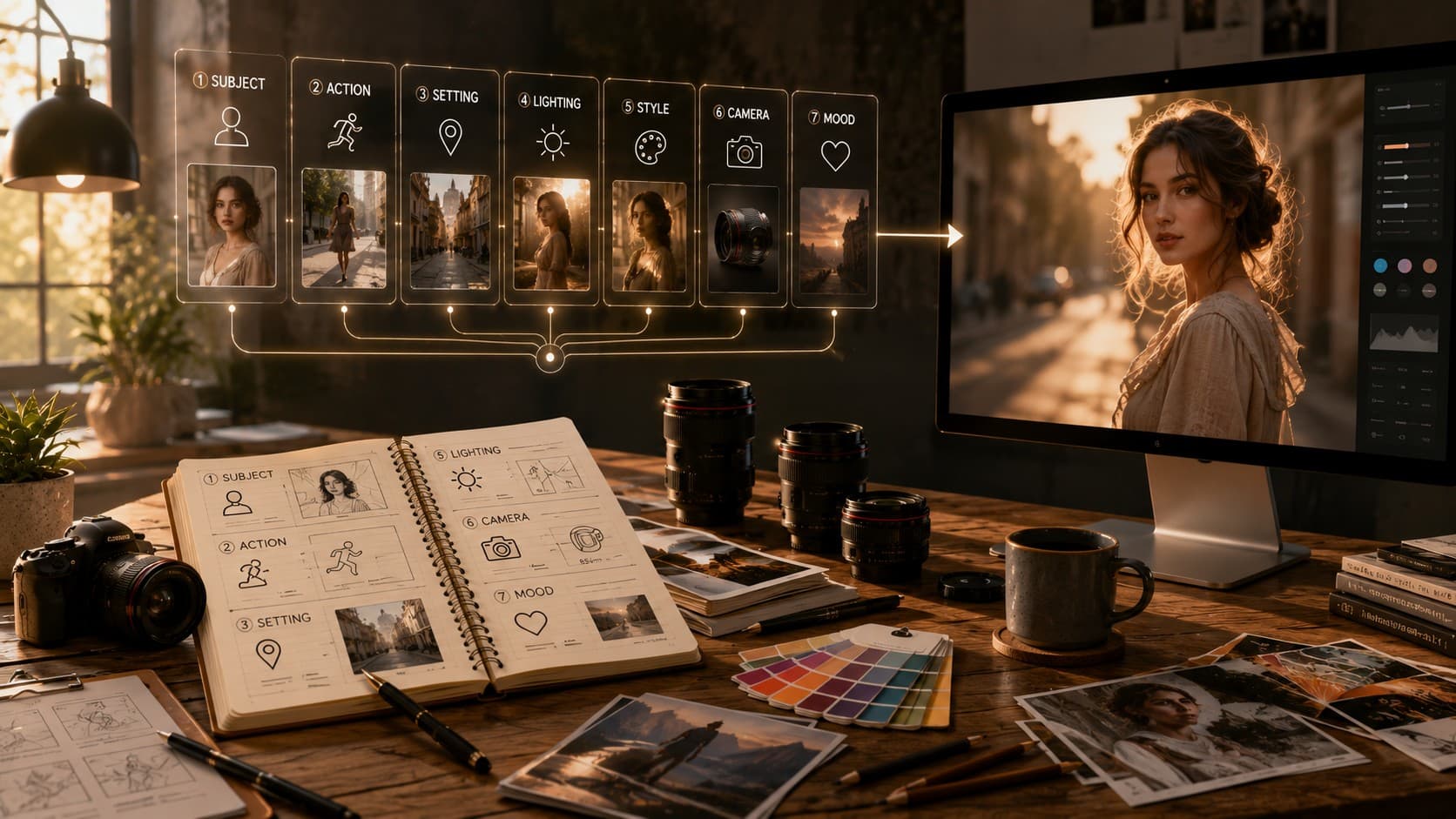
How to Write Better AI Image Prompts (Without Guessing)
Learn how to write AI image prompts that generate consistent, high-quality results. Discover the prompt structure, common mistakes, and practical tips used by experienced creators.

I've been messing around with AI image tools since the early DALL-E 2 days, back when 'a horse riding an astronaut' was peak comedy and every image came out looking like a fever dream painted by a committee. Things have changed. A lot. Between Midjourney v7, Flux.1, Ideogram, and Google's Imagen models, the tools got smarter — but most people are still prompting like it's 2022. Typing a vague sentence, crossing their fingers, hitting generate, and hoping for the best.
That's not a strategy. That's guessing. After writing hundreds of prompts a week for client work, I've noticed something: the people who consistently get great results aren't the ones with secret keyword lists. They just think about prompting differently. Here's what actually works right now.
Stop Writing Like You're Making a Wish
"A beautiful sunset over mountains, stunning, 4k, masterpiece" — I see prompts like this constantly, and I get why. Early tools rewarded stacking hype words. That era is over. Modern models like Flux and Midjourney v7 understand natural language and nuance far better than they understand a pile of adjectives.
Instead of telling the model how good you want the image to be, tell it what's actually happening in the scene. Where's the light coming from? What time of day is it? Is the camera close or far away? These are the details that separate a flat, generic image from one that actually feels intentional.
- "Beautiful sunset, mountains, epic, stunning"
- "Golden hour light hitting a mountain ridge from the left, long shadows stretching across a rocky trail, slight haze in the valley below"
The second one isn't fancier. It's just specific. And specificity is the entire game now.
Think Like a Photographer, Not a Wisher
The biggest shift in my workflow came when I stopped thinking about prompts as descriptions and started treating them like camera instructions. Mention the lens, the angle, the depth of field, and the lighting.
- 35mm lens, shallow depth of field
- Shot from a low angle, looking up
- Overhead flat lay shot
- 85mm portrait lens, blurred background
These phrases carry real meaning because image models have learned from millions of photographs that use this language.
Reference Real Styles, Not Vague Vibes
"Make it look artistic" doesn't tell the model much. Referencing a visual medium, era, or photographic style gives it a much stronger direction.
- Editorial photography with natural light
- Risograph print with a limited color palette
- Isometric illustration with flat colors
- 35mm film with slight grain and muted tones
- Watercolor-inspired illustration
Structure Matters More Than People Think
One habit that consistently improves results is keeping prompts in a logical order. You don't need labels—just keep the flow consistent.
- Subject
- Action or pose
- Setting
- Lighting
- Style or medium
- Camera details
Negative Prompts Still Matter
Modern models need negative prompts less often than older ones, but they're still useful when you want to remove unwanted elements such as cluttered backgrounds or distorted anatomy.
Iterate Instead of Starting Over
Treat your first generation as a draft. Change one variable at a time—lighting, composition, camera angle, or style. Small iterations usually outperform rewriting the entire prompt.
Let AI Help You Write Better Prompts
If you have a clear idea but struggle to describe it, use a language model to help convert your thoughts into a structured image prompt. It's a practical workflow used by many professionals.
A Few Things I Wish I Knew Earlier
- Aspect ratio changes composition, not just the crop.
- Color grading terms like 'teal and orange' or 'muted palette' make a noticeable difference.
- Avoid overloading prompts with unnecessary details.
- Keep expectations realistic for long text inside AI-generated images.
Final Thoughts
Better prompting isn't about collecting magic keywords. It's about describing a scene the way you'd brief a photographer—specific, grounded, and intentional. Today's AI models are capable enough to meet you halfway. Your job is to give them clear direction.