
Trophy Dream Vision
Create an epic fantasy-inspired football portrait holding a glowing championship trophy beneath stadium floodlights, capturing the dream of ultimate victory in a cinematic atmosphere.

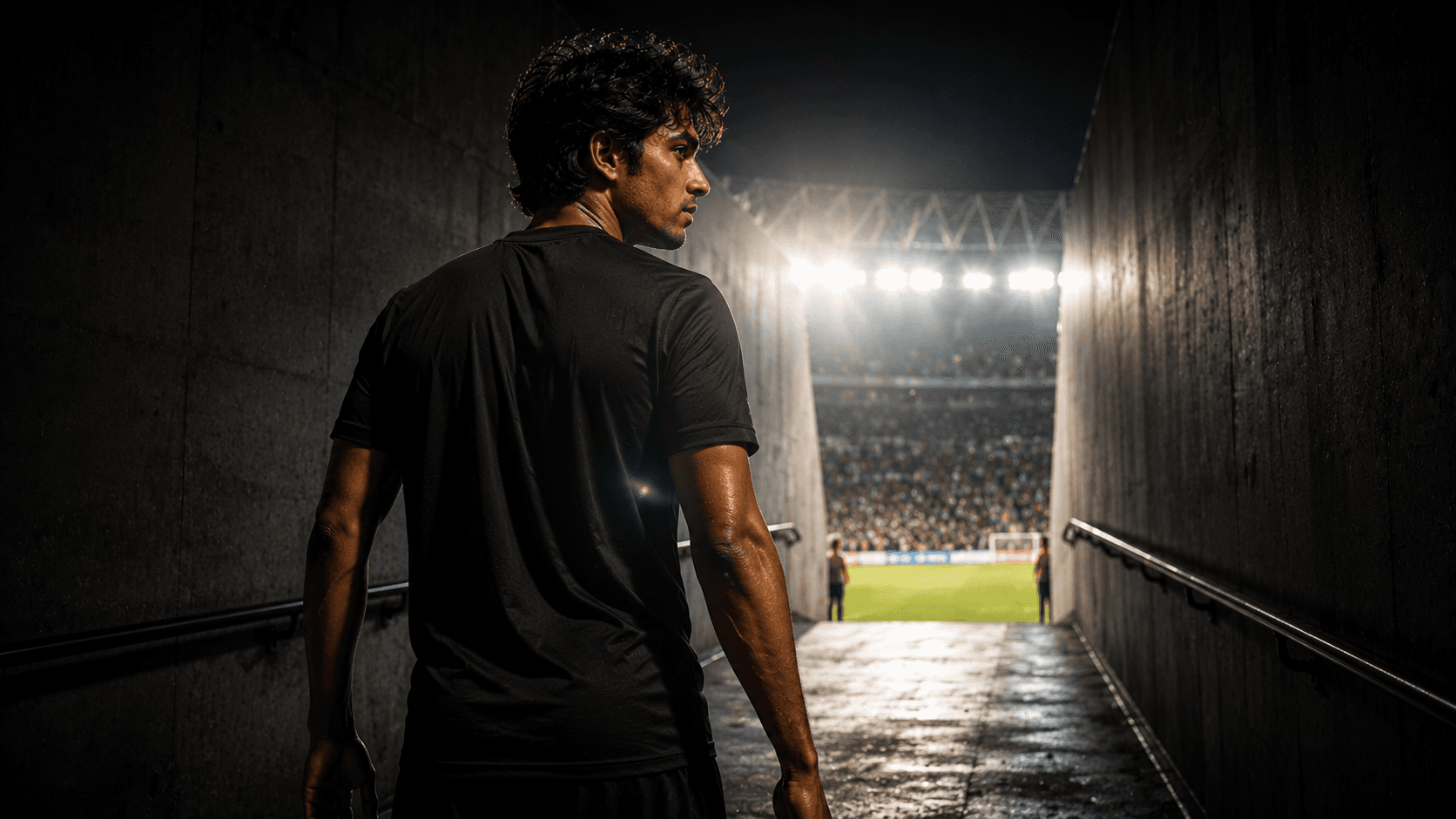
Create an epic cinematic football player portrait walking through a stadium tunnel toward dazzling floodlights, capturing focus, determination, and the anticipation before kickoff.
Review the prompt below before copying it into your preferred AI image generator.
Follow these simple steps to generate the best possible AI image.
Use a clear reference image showing enough of the subject's body to establish a natural walking posture. A visible body position helps the model maintain realistic proportions and movement.
Keep the reference image attached so the generated portrait maintains recognizable facial features, hairstyle, skin tone, and overall appearance while introducing the professional football setting.
Generate the player walking confidently toward the stadium entrance with a serious expression and controlled posture. The forward movement should communicate focus and pre-match determination.
Let the model create a darker tunnel interior leading toward an intensely illuminated pitch, using atmospheric haze and subtle lens flares to emphasize the transition from darkness to the stadium lights.
Generate multiple variations and select the composition with the strongest low-angle perspective, natural walking motion, convincing tunnel depth, and clearly visible facial expression.
Follow these best practices to create higher-quality AI images with better consistency and realism.
Choose a result where the player's stride, arm movement, and body posture feel relaxed and physically believable rather than overly staged.
The dramatic backlighting should enhance the atmosphere without hiding the player's face. Keep enough front-facing illumination to preserve realistic facial features.
A clear visual transition from the dark tunnel to the bright pitch helps create the anticipation of kickoff and gives the portrait a stronger cinematic sense of scale.
Keep lens flares subtle and positioned around the stadium lights. Excessive flare can wash out the subject or reduce the clarity of the face and jersey.
Maintain the plain black jersey without visible logos or distracting graphics so the player's silhouette and determined expression remain the primary visual focus.
This prompt benefits from an image model that can preserve a recognizable subject while handling realistic walking movement, dramatic light transitions, athletic proportions, stadium depth, and cinematic pre-match atmosphere.
A strong option when preserving the subject's appearance while refining the player's expression, walking posture, jersey styling, dramatic lighting, and overall hero composition.
Useful for experimenting with tunnel architecture, bright stadium entrances, atmospheric haze, floodlight effects, and the large-scale environment surrounding the player.
Discover more prompts from this category.
Explore hundreds of free AI prompts across different categories. Whether you're creating realistic images, cinematic scenes, anime artwork, seasonal content, sports visuals, or social media graphics, PromptGenz has prompts designed to help you get better AI-generated results.