
Name Art Studio
Crystal Glass Name
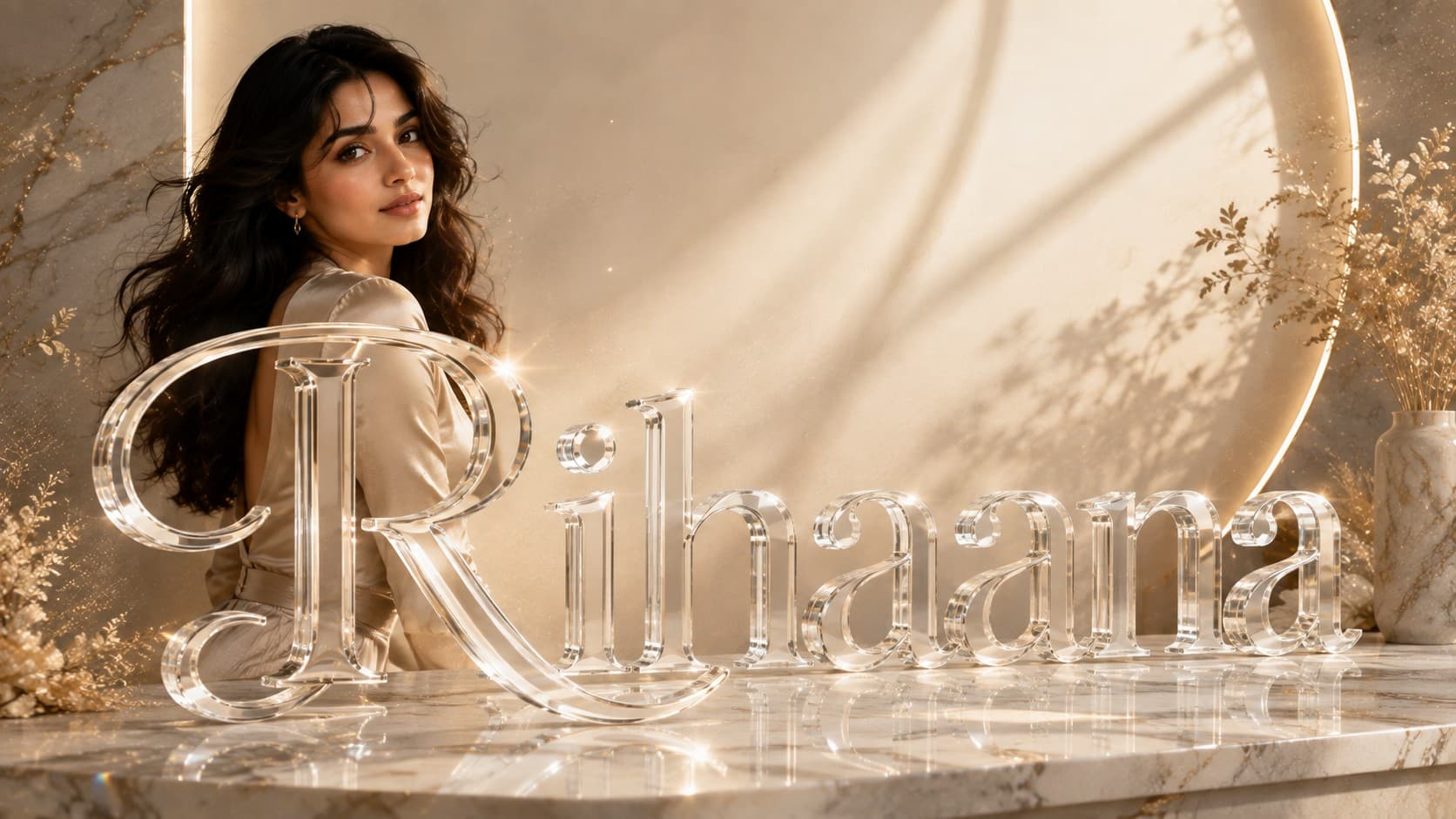
Create a premium glass typography artwork where your name becomes an elegant crystal centerpiece.
✨ AI Image Prompt
Review the prompt below before copying it into your preferred AI image generator.
If reference image(s) are provided, preserve the facial features, hairstyle, body type, skin tone, and overall appearance of the person or couple naturally while adapting them to the described scene. Otherwise, generate photorealistic subject(s) that naturally fit the scene.
Replace {{NAME}} with your desired name before generating. Display "{{NAME}}" exactly as the crystal glass typography in the final artwork.
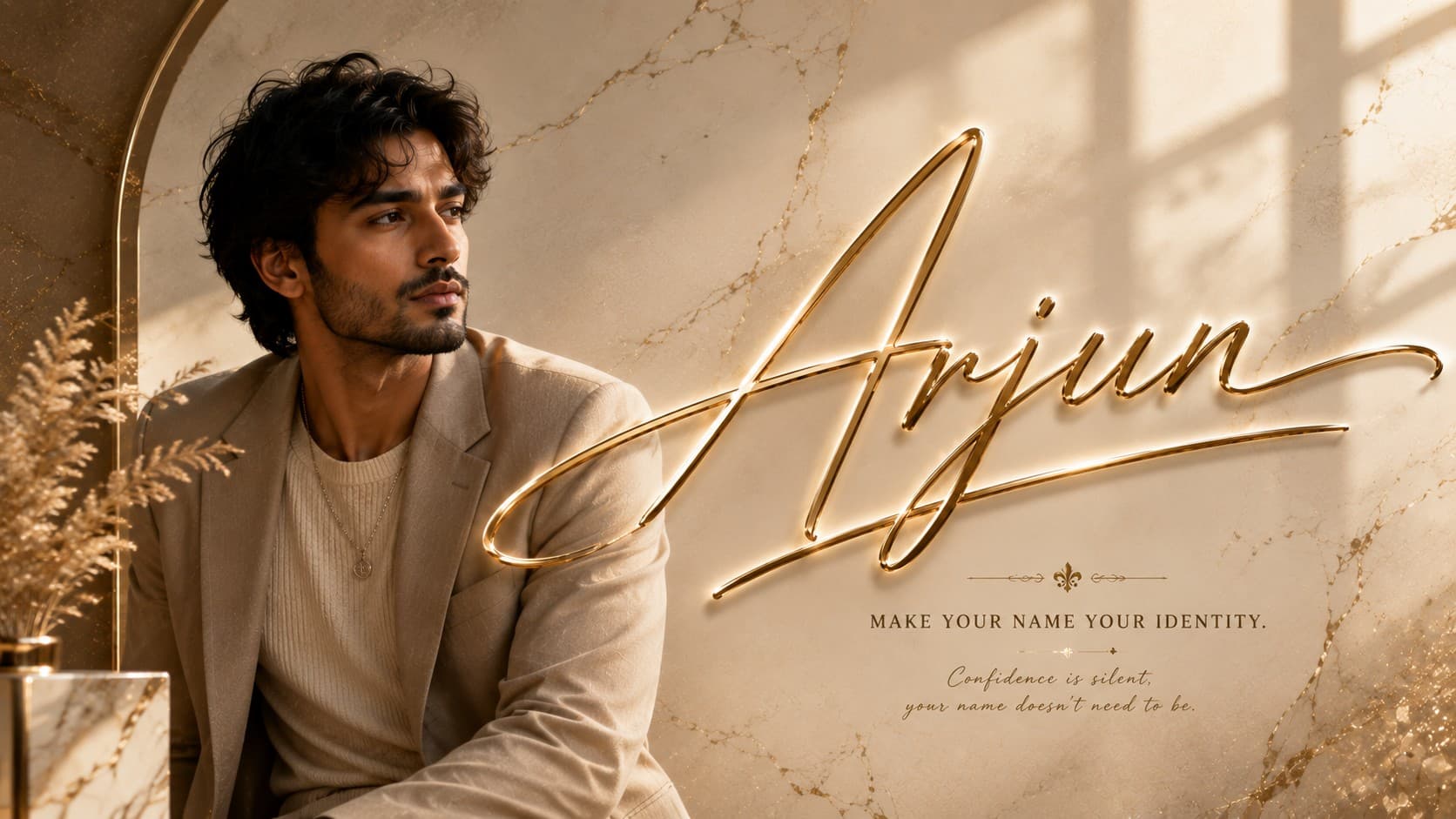
Design a luxurious portrait artwork where one oversized crystal glass version of "{{NAME}}" becomes the main visual element. Create elegant transparent glass typography with realistic reflections, refractions, soft shadows, crystal-clear edges, subtle sparkles, and premium studio lighting. Place the portrait harmoniously alongside the glass name against a clean luxury background featuring marble textures and a refined minimalist aesthetic. Premium editorial composition, ultra-realistic portrait photography, cinematic lighting, luxury commercial styling, highly detailed, photorealistic, 8K quality.
📘 How to Use This Prompt
Follow these simple steps to generate the best possible AI image.
1
Choose a Clear Portrait Reference
Upload a high-quality reference image with the subject's facial features, hairstyle, skin tone, and overall appearance clearly visible. A clean reference helps maintain identity while building the luxury composition.
2
Enter the Desired Name
Replace {{NAME}} with the exact name you want to display. Keep the spelling unchanged throughout the prompt so the crystal typography represents the intended personalized name.
3
Create the Crystal Typography
Generate one oversized glass version of the name as the main visual element. Emphasize transparent crystal structure, sharp edges, realistic refraction, internal highlights, and subtle sparkling details.
4
Integrate the Portrait and Background
Position the portrait naturally beside the glass name while maintaining visual harmony. Use a clean marble-inspired luxury environment with controlled studio lighting and enough negative space around both elements.
5
Refine the Glass Realism
Generate multiple variations and choose the result with the most accurate name rendering, convincing glass transparency, realistic reflections and refractions, crisp portrait details, and polished luxury presentation.
⭐ Tips for Best Results
Follow these best practices to create higher-quality AI images with better consistency and realism.
✓
Use Exact Name Formatting
Enter the desired name carefully before generating. Since the typography is the centerpiece, accurate lettering is essential for producing a convincing personalized artwork.
✓
Prioritize Transparent Glass
Ask for clear, physically believable glass rather than an opaque metallic effect. Visible refraction, edge highlights, and subtle transparency help communicate the crystal material.
✓
Keep the Portrait Secondary
Allow the oversized name to remain the dominant design element while positioning the portrait as a complementary visual. This keeps the artwork focused on the personalized typography.
✓
Use Controlled Reflections
Keep reflections and highlights precise and elegant. Excessive glare can hide the lettering, while restrained reflections make the crystal typography appear more realistic.
✓
Maintain a Refined Background
Use understated marble textures and minimalist surroundings rather than busy decorative elements. A clean environment gives the transparent name enough contrast and strengthens the luxury aesthetic.
🤖Recommended AI Models
This prompt benefits from an image model that can handle personalized typography while rendering transparent glass materials, realistic refractions, crisp edges, subtle sparkles, and a polished luxury portrait composition.
ChatGPT
Great for Glass TypographyA strong option for combining personalized name lettering with transparent crystal effects, realistic studio reflections, portrait preservation, and refined luxury composition.
Gemini
Great for Crystal EffectsUseful for exploring transparent typography variations, glass refractions, sparkling highlights, marble environments, and different arrangements between the portrait and name.
More Related Prompts
Discover more prompts from this category.
Discover More AI Prompts
Explore hundreds of free AI prompts across different categories. Whether you're creating realistic images, cinematic scenes, anime artwork, seasonal content, sports visuals, or social media graphics, PromptGenz has prompts designed to help you get better AI-generated results.