
Name Art Studio
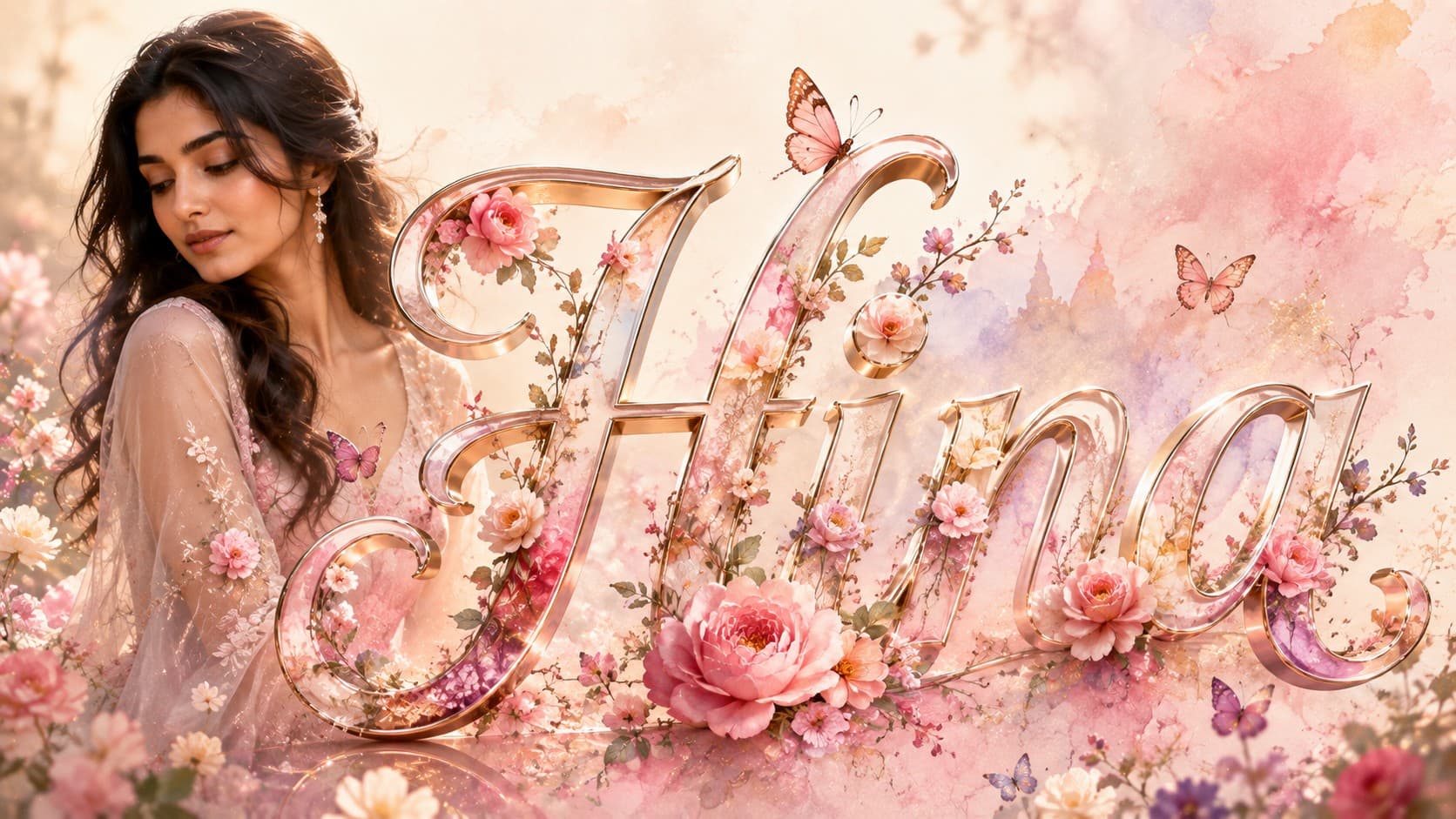
Floral Name Bloom
Turn your name into an elegant floral artwork surrounded by blooming flowers and soft pastel beauty.
✨ AI Image Prompt
Review the prompt below before copying it into your preferred AI image generator.
If reference image(s) are provided, preserve the facial features, hairstyle, body type, skin tone, and overall appearance of the person or couple naturally while adapting them to the described scene. Otherwise, generate photorealistic subject(s) that naturally fit the scene.
Replace {{NAME}} with your desired name before generating. Display "{{NAME}}" exactly as the elegant floral typography in the final artwork.
Create a dreamy floral name artwork where one oversized elegant version of "{{NAME}}" becomes the centerpiece of the composition. Decorate the typography with blooming roses, peonies, cherry blossoms, delicate butterflies, lush floral vines, soft watercolor textures, floating flower petals, subtle glowing particles, and dreamy pastel clouds. Place the portrait naturally beside the floral typography while maintaining a balanced editorial layout. Use a soft pastel color palette with pink, lavender, cream, peach, and sage green tones, romantic golden-hour lighting, luxury magazine aesthetics, premium portrait photography, ultra-realistic skin, highly detailed floral typography, magical atmosphere, elegant composition, and stunning 8K quality.
📘 How to Use This Prompt
Follow these simple steps to generate the best possible AI image.
1
Select a Clear Portrait
Upload a well-lit reference image where the subject's face and overall appearance are clearly visible. This provides a reliable foundation for integrating the portrait into the floral name composition.
2
Enter the Personalized Name
Replace {{NAME}} with the exact name you want displayed in the artwork. Check the spelling carefully because the name will serve as the central typography element.
3
Build the Floral Lettering
Generate one oversized elegant version of the name and weave floral details naturally around and through the lettering. Use roses, peonies, cherry blossoms, vines, petals, and butterflies to create an organic decorative structure.
4
Create the Pastel Environment
Surround the typography with soft watercolor textures, dreamy clouds, glowing particles, and a coordinated pastel palette. Keep the portrait positioned naturally beside the name so both elements remain visually connected.
5
Refine the Floral Composition
Generate several variations and select the version with the clearest personalized name, most natural floral integration, balanced portrait placement, delicate lighting, and polished editorial presentation.
⭐ Tips for Best Results
Follow these best practices to create higher-quality AI images with better consistency and realism.
✓
Keep the Name Clearly Readable
Make sure flowers and vines enhance the lettering without completely covering the characters. Clear typography is essential because the personalized name is the centerpiece.
✓
Use Harmonious Flower Placement
Distribute roses, peonies, blossoms, and vines around the lettering instead of concentrating every element in one area. Balanced floral density creates a more elegant composition.
✓
Preserve the Pastel Balance
Keep pink, lavender, cream, peach, and sage green tones visually coordinated. Avoid overly saturated colors that could overpower the delicate floral and editorial mood.
✓
Let Butterflies Add Movement
Position a small number of delicate butterflies around the name and portrait rather than filling the entire composition. Their placement can create visual flow while maintaining the refined aesthetic.
✓
Protect Portrait Clarity
Keep the floral decorations from covering important facial features. The portrait should remain recognizable while the typography and flowers provide the surrounding artistic treatment.
🤖Recommended AI Models
This prompt benefits from an image model that can render personalized typography while combining detailed flowers, organic vines, butterflies, pastel textures, portrait identity, and a sophisticated editorial composition.
ChatGPT
Great for Floral Name ArtA strong option for combining a personalized name with detailed floral decoration, recognizable portrait features, soft pastel styling, and an elegant editorial arrangement.
Gemini
Great for Floral VariationsUseful for exploring different flower arrangements, pastel palettes, butterfly placements, watercolor effects, and decorative typography compositions.
More Related Prompts
Discover more prompts from this category.


Discover More AI Prompts
Explore hundreds of free AI prompts across different categories. Whether you're creating realistic images, cinematic scenes, anime artwork, seasonal content, sports visuals, or social media graphics, PromptGenz has prompts designed to help you get better AI-generated results.