
Friendship Day
Forever Connected
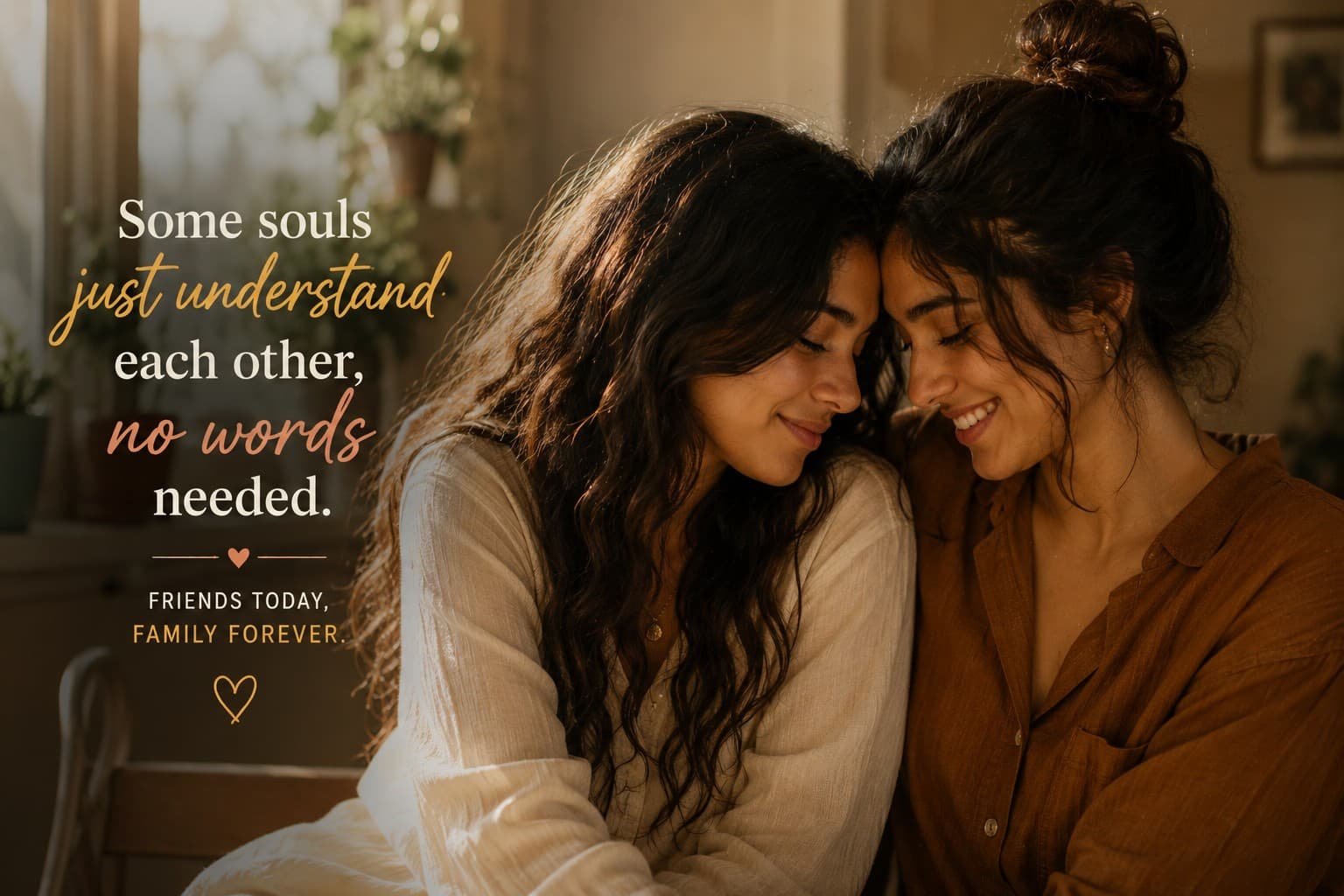
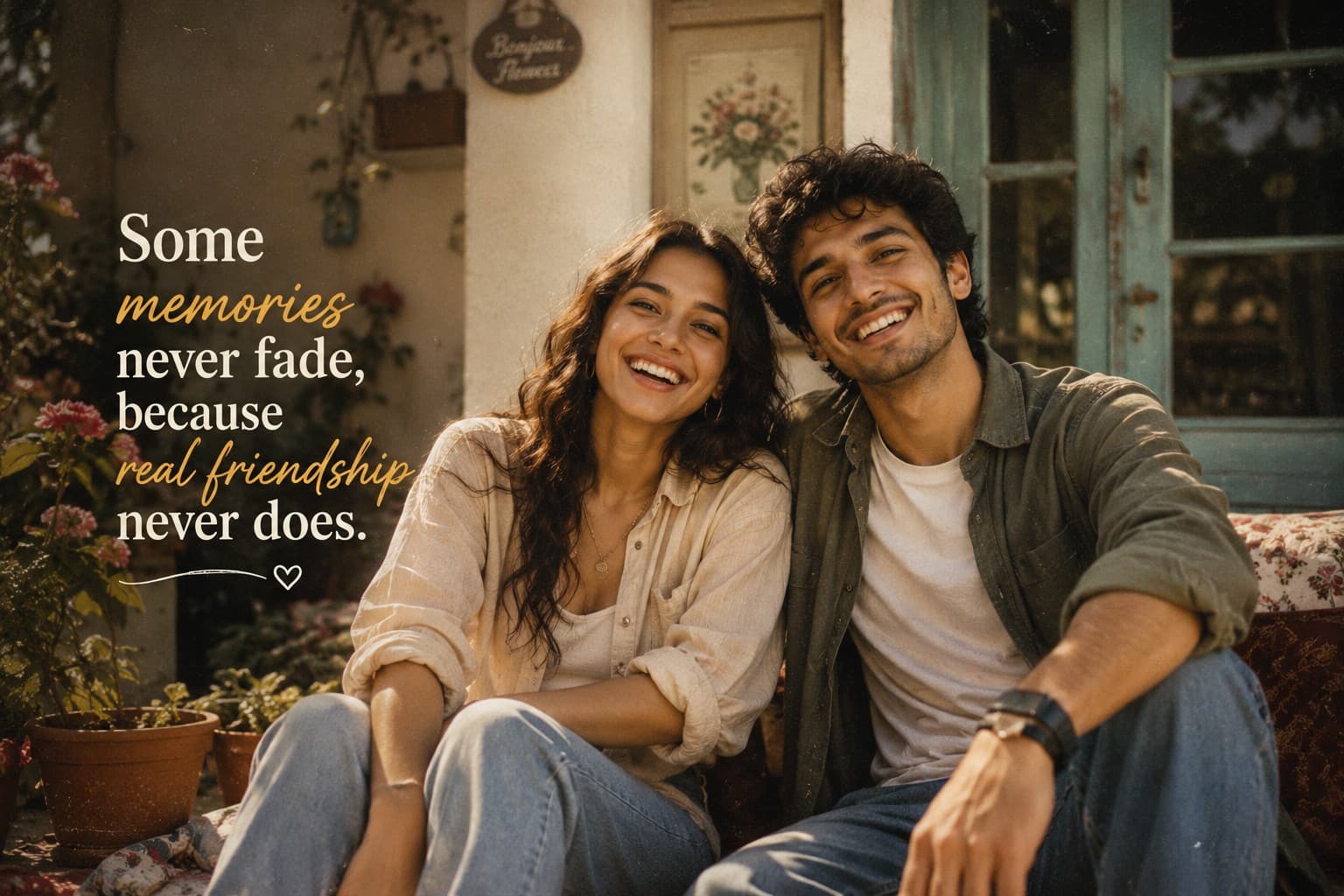
Create a heartfelt cinematic friendship portrait that captures trust, lifelong memories, and the unbreakable emotional bond between true friends.
✨ AI Image Prompt
Review the prompt below before copying it into your preferred AI image generator.
If reference image(s) are provided, preserve the facial features, hairstyles, body types, skin tones, and overall appearance of all individuals naturally. Otherwise, generate photorealistic subjects that fit the scene.
Create an ultra-realistic fine art portrait of two close friends sharing a deeply meaningful moment together. Capture an intimate composition where they gently rest their foreheads together or exchange warm eye contact, conveying years of trust, support, and lifelong friendship. Their expressions should feel genuine, calm, and emotional without exaggerated smiles. Soft natural window light creates a delicate glow across their faces, highlighting realistic skin tones and authentic emotions. Use a muted warm color palette with subtle earth tones, a beautifully blurred background, and a peaceful atmosphere that emphasizes connection over spectacle. Premium fine art editorial photography, 85mm f/1.4 lens, shallow depth of field, soft cinematic lighting, ultra-realistic skin textures, elegant composition, emotional storytelling, timeless aesthetic, and stunning 8K quality. Include a short, meaningful friendship quote in elegant modern typography that enhances the emotion without overpowering the portrait.
📘 How to Use This Prompt
Follow these simple steps to generate the best possible AI image.
1
Choose a Clear Two-Person Reference
Use a clear reference image showing both friends so the model can preserve their facial features, hairstyles, body types, skin tones, and overall appearance naturally.
2
Preserve Both Identities
Keep the reference image attached so the generated portrait maintains recognizable facial characteristics and natural proportions while introducing the intimate fine art composition.
3
Create Emotional Connection
Generate a calm, intimate interaction such as gently resting foreheads together or exchanging warm eye contact. Focus on trust, support, and genuine emotional connection rather than exaggerated expressions.
4
Build the Peaceful Atmosphere
Use soft natural window light, muted warm earth tones, and a beautifully blurred background to create a quiet environment where the emotional bond between the friends remains the central focus.
5
Refine the Emotional Composition
Generate multiple variations and select the result with the most natural facial expressions, believable interaction, balanced composition, realistic skin texture, and subtle emotional storytelling.
⭐ Tips for Best Results
Follow these best practices to create higher-quality AI images with better consistency and realism.
✓
Use a Clear Two-Person Reference
A high-quality reference showing both friends clearly helps preserve their individual facial characteristics, hairstyles, skin tones, and natural proportions.
✓
Keep the Emotion Subtle
Avoid exaggerated smiles or dramatic expressions. Calm eye contact, gentle expressions, and natural closeness communicate the deeper emotional connection more effectively.
✓
Check Facial Details
Inspect both faces carefully after generation to ensure facial features remain recognizable, natural, and sharply detailed without unwanted distortions.
✓
Maintain Soft Window Lighting
The light should create a delicate glow across both faces while preserving realistic skin tones and gentle shadows. Avoid harsh highlights that distract from the emotional moment.
✓
Keep the Quote Secondary
Use elegant modern typography in available negative space so the meaningful friendship quote enhances the emotional storytelling without covering faces or important details.
🤖Recommended AI Models
This prompt benefits from an image model that can preserve two people's identities while generating subtle emotional expressions, intimate interaction, soft window lighting, fine art composition, and heartfelt friendship storytelling.
ChatGPT
Great for Emotional PortraitsA strong option for maintaining the appearance of both friends while refining subtle expressions, intimate positioning, realistic skin texture, soft lighting, and the overall fine art portrait composition.
Gemini
Great for Fine Art ScenesUseful for experimenting with intimate friendship compositions, soft natural window lighting, muted warm palettes, emotional atmosphere, and refined fine art photography.
More Related Prompts
Discover more prompts from this category.
Discover More AI Prompts
Explore hundreds of free AI prompts across different categories. Whether you're creating realistic images, cinematic scenes, anime artwork, seasonal content, sports visuals, or social media graphics, PromptGenz has prompts designed to help you get better AI-generated results.